Operator removes Resource
Preconditions
The user is logged into INTERSECT with the operator role assigned. They are currently looking at the detailed view of a resource seen in Fig. 79. The operator’s version of the detailed view of a resource will have a “decommission” and “suspend” button up in the top right corner.
Postconditions
The operator will have to either move campaigns to use a similar resource or would have to send an error on campaigns currently using that resource. This would require sending a notification to schedulers.
Methodologies
OM would click on a “Suspend” or “Mark offline” button in the Detailed View to temporarily make the Resource unavailable for INTERSECT Campaigns.
Should the downtime affect any upcoming Campaigns, the OM either takes a bulk decision or a case-by-case decision on the Campaigns, similar to the Owner:
OM moves a Campaign(s) to use a similar / equivalent Resource that they also maintain
Given that the OM has edit capabilities to the step in the workflow configuration pertaining to the Resource(s) that the OM controls, the OM can swap the affected Resource with an alternate Resource. Thereby, the Campaign would not be using a Resource that is unavailable.
This swap is noted in the logs for the Campaign and the OM notes the reason for the swap of Resource in the logs for full transparency.
OM throws an error to the Campaign letting the User know that they need to either schedule the Campaign for a later time or consider using a different Resource, outside the control of the OM.
The Detailed View of the Campaign allows OMs of Resources (expected to be used in the Campaign) to mark a Resource request as unfulfillable.
An example interface is depicted in Fig. 102.
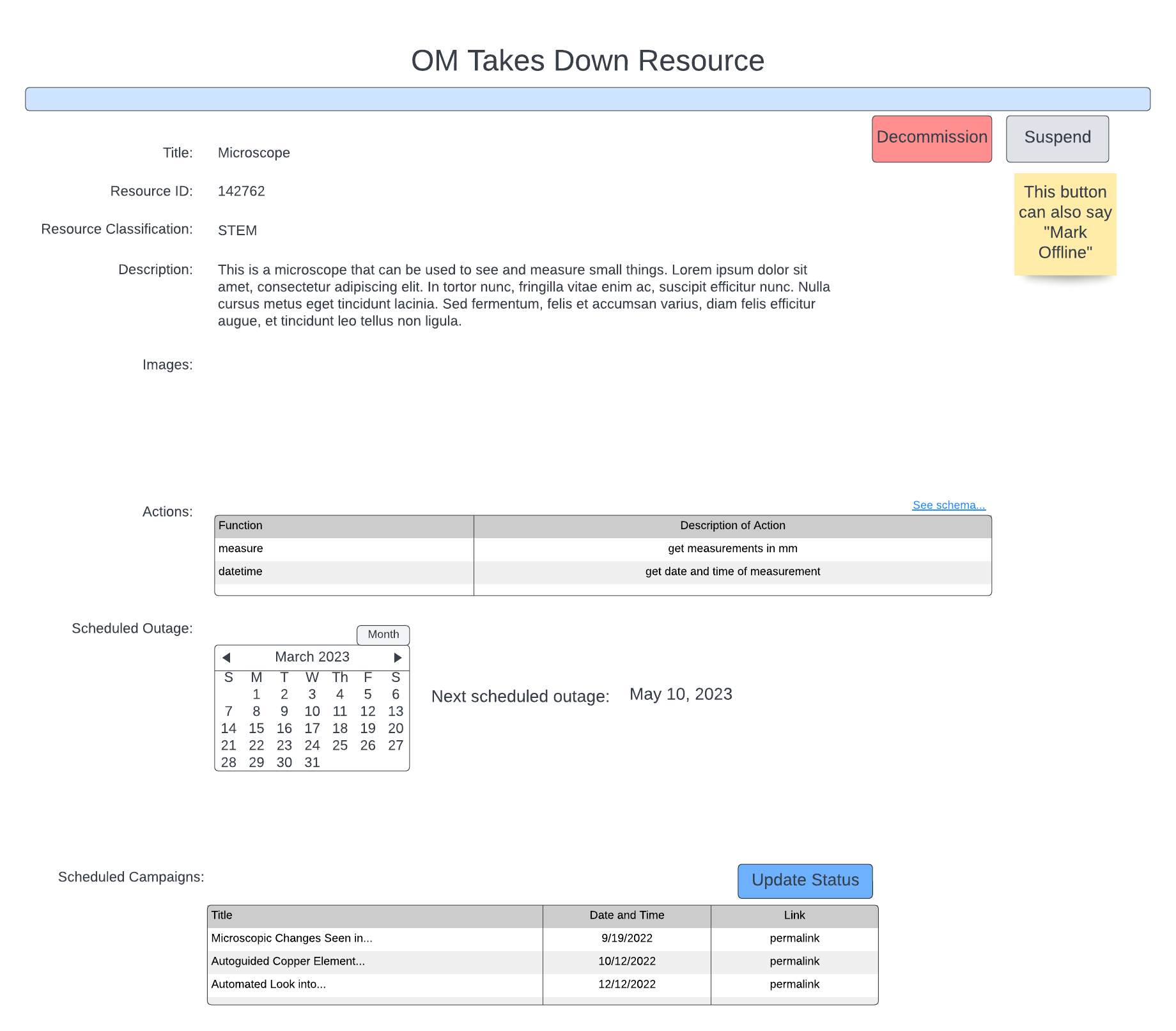
Fig. 102 This take down takes place in the detailed view.